

Channels Overview
The Channels activity center connects a Newforma Konekt project to Microsoft Teams, retrieving available past Public and Shared channel posts while continuously archiving new ones within the project record. You can browse posts, replies, reactions, and attachments — including the history of edits and deletions — directly in the project, without needing access to the originating Teams channel.
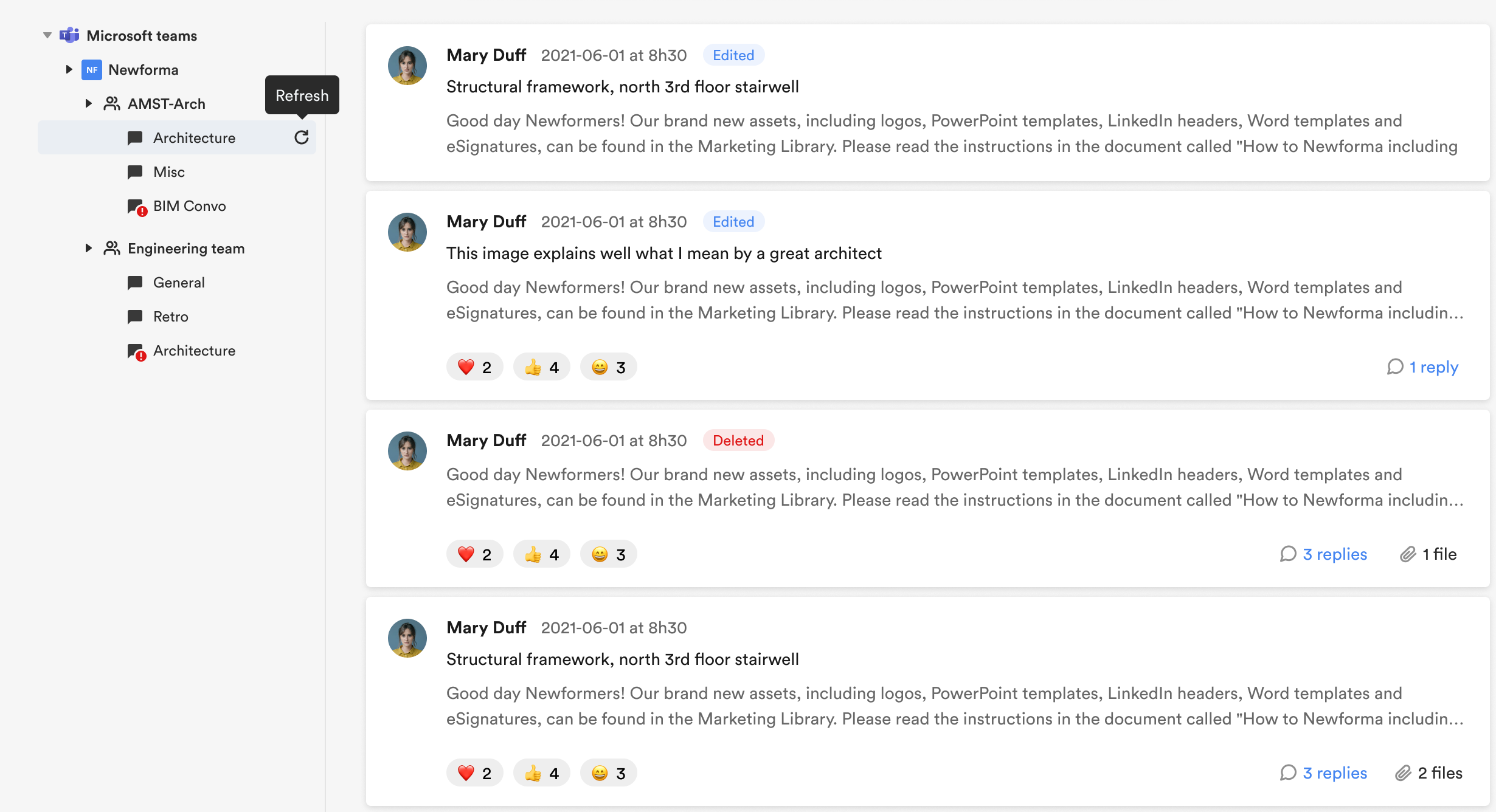
Channels requires a one-time hub-level connection to a Microsoft organization, after which Project Administrators can link specific channels to individual projects.
How It Works
Once a channel is linked, Newforma Konekt retrieves available message history from the channel and continuously archives new activity. Posts, replies, reactions, and attachments are captured. Edits and deletions are labeled, and their history is recorded, so the archive reflects the full message lifecycle.
Channels is read-only; you cannot modify Teams content through Newforma Konekt.
History at the Time of Linking
When a channel is first linked, Newforma Konekt retrieves all available posts going back to when the channel was created. However, due to how Microsoft manages historical data, the edit and deletion history for these posts is incomplete:
- Messages that were edited before linking show only the most recent version — the original and intermediate versions are not available.
- Messages that were deleted before linking show only two history entries: when the message was created and when it was deleted, with no content.
- Messages posted by users who were removed from Teams before the channel was linked are still displayed, but the author is shown as unknown.
- Reactions reflect only what exists at the time of linking — reactions that were removed before linking are not retrievable.
Once a channel is actively syncing, all new edits, deletions, and reactions are captured going forward.
What Gets Archived
Channels archives the following items from linked Teams channels:
- Posts
- Replies
- Reactions
- Attachments
- Timestamps
- Edits
- Authors
Permissions and Prerequisites
- Active Newforma Konekt subscription
- Microsoft 365 tenant with Microsoft Teams enabled
- Hub Administrator or Hub Owner role in Newforma Konekt and Microsoft 365 tenant admin access, which are required to connect the Microsoft Teams organization
- Project Administrator role to link and manage channels at the project level
- Target channels must be Public or Shared
| Role | Capability | Where |
|---|---|---|
| Hub Administrator or Hub Owner | Connect or disconnect a Microsoft organization | Integrations (hub level) |
| Project Administrator | Link channels, edit access settings, enable or disable sync | Channel settings (project level) |
| Project Member | Browse archived posts, reactions, and attachments | Channels (project level) |
Project members do not need a Microsoft Teams license to view channel content in Newforma Konekt. Access is based on project membership.