

Entra ID Integration: Overview and Requirements
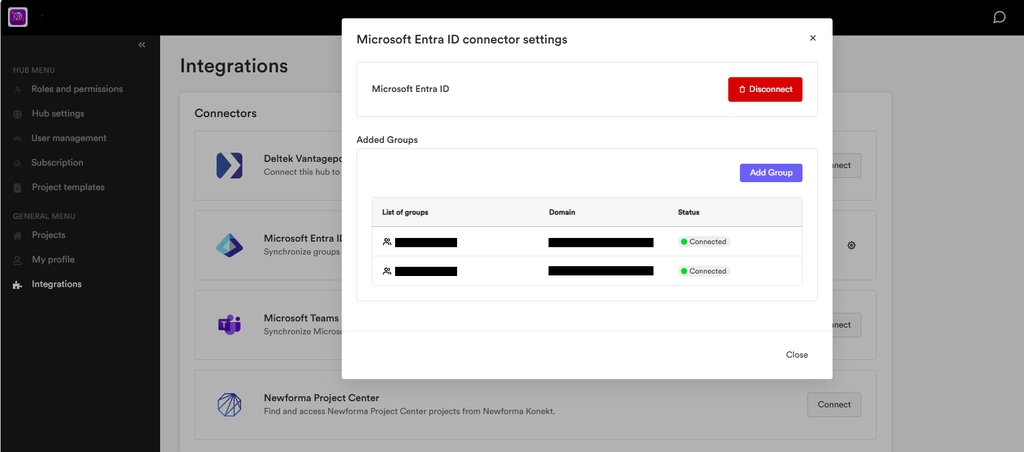
The Entra ID integration connects your Newforma Konekt hub to a Microsoft tenant. You can then connect Entra groups to the hub and sync users to Newforma Konekt. Whenever users are added to or removed from these groups, the same change is synced to their hub access. This gives you a more efficient way to manage user access: directly from Entra ID, rather than from the User management page in Newforma Konekt.
How It Works
Scope: Internal Users Only
The integration syncs internal Entra ID users only. Syncing of external users will be available at a later date.
No Tenant Configuration Required
The Entra ID integration uses a custom Microsoft Graph API integration instead of SCIM (System for Cross-Domain Identity Management). This avoids common SCIM limitations around nested groups and does not require you to pre-configure your Microsoft tenant before connecting.
Permissions and Prerequisites
Before you can connect Entra ID to Newforma Konekt, your organization needs:
- Hub Admin or Hub Owner role in Newforma Konekt
- A Microsoft tenant (no pre-configuration of the tenant required).
- An Enterprise subscription for Newforma Konekt if using the legacy subscription service.
Once user groups have been created in Entra ID, the Hub Owner or a Hub Admin can start the connection in the Integrations page. This request must then be approved by an Entra ID application administrator in your organization before the connection is finalized. This approval is only needed once.
Trial hubs cannot integrate with Entra ID.
Expected Behaviors
Once your hub is integrated with Entra ID, expect the following behaviors:
- Adding or removing a user from a connected Entra ID group syncs that change to your hub within 5 minutes.
- More Entra ID groups can be connected after the initial integration at any time; likewise, connected groups can be removed from the hub at any time.
- Removing a connected Entra ID group stops the users within from syncing and will begin the deprovisioning process.
- Most personal information for users in connected groups is synced during the initial sync. Subsequent changes to this information in Entra ID are not reflected in the hub, so you will have to manually update it in Newforma Konekt. Email addresses are the exception; changes to a user’s email in Entra ID continue to sync automatically.
- Hub roles and project assignments and permissions are not managed by the Entra ID integration; those stay in the User management page regardless of connection status.
- You’ll receive a weekly summary of sync activity, including any changes to connected users.