Configure Item Numbering in Submittals
The Submittals activity center supports configurable item numbering, allowing you to automate how submittal items are incrementally numbered at creation. You can also automate how revision numbers are assigned to submittal items.
In the Submittals activity center, open Settings and select the Numbering tab. You will see two sections:
- Item numbering
- Revision
Step 2: Configure Item Numbering
Under Item numbering, select one of the following rules:
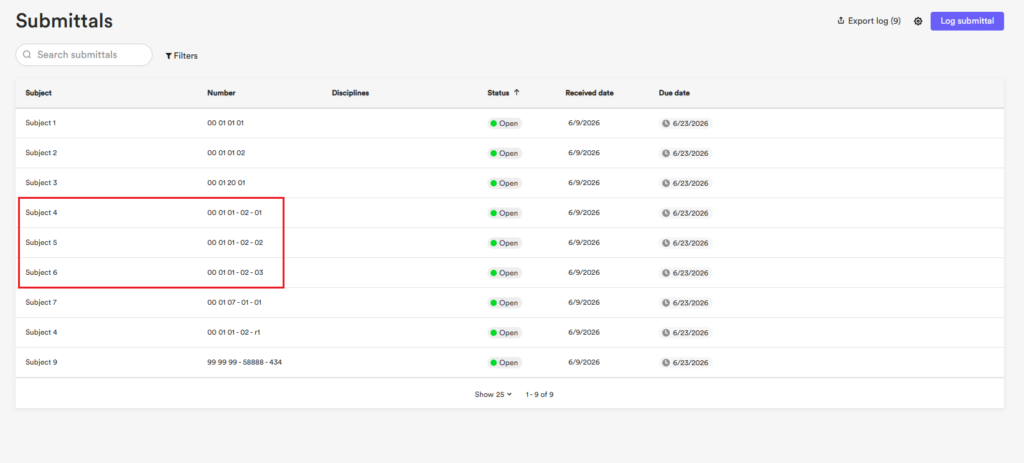
- Auto-increment: Items are assigned sequential numbers at creation. Configure the number of digits, starting number, and an optional prefix (e.g., S01).
- Auto-increment with a prefix based on spec section: Items are assigned sequential numbers at creation with a prefix derived from the spec section selected at the time of creation in the Log submittal modal. Configure the number of digits and starting number (e.g. 00 01 01).
- Manual entry: The Number field in the Log submittal modal must be filled in manually each time a submittal item is created.
Select Save changes.
Step 3: Configure Revision Numbering
Under Revision, select one of the following revision numbering types:
- Numbers: Revisions upon creation will follow a numerical sequence (01, 02, 03…).
- Revision numbers: Revisions upon creation will follow a numerical sequence with a “r” prefix (R1, R2, R3…).
- Letters: Revisions upon creation will follow an alphabetical sequence (A, B, C…).
Select Save changes.
How Auto-Increment Rules Affect the Log Submittal Modal
When item numbering is set to Auto-increment or Auto-increment with a prefix based on spec section in the Submittals Numbering settings, the Number field in the Log Submittal modal shows “Auto.” The field accepts any combination of characters and can be overridden at any time.
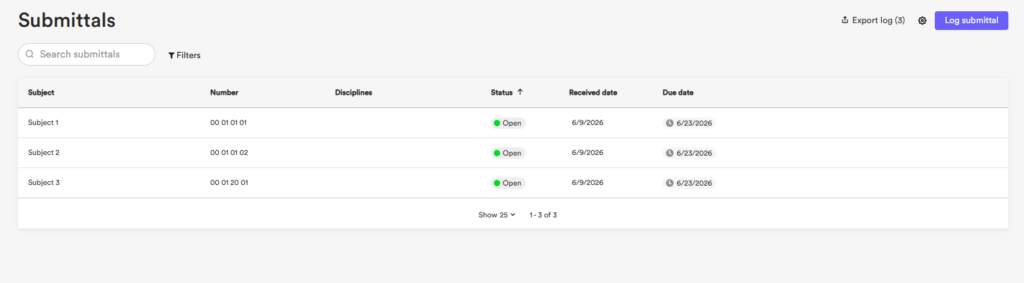
When Auto-increment with a prefix based on spec section is active, each spec section maintains its own independent counter. For example, a submittal created under spec section “00 01 20” starts at “1” if no other submittals exist under that spec section, regardless of how many submittals exist under other spec sections.
How Revision Numbering Rules Affect the Log Submittal Modal
Even when a revision numbering type is configured in the Submittals Numbering settings, the Revision field in the Log Submittal modal remains hidden by default. It only becomes available when a value is manually entered in the Number field. When the Revision field appears, it shows “Auto.” The field accepts any combination of characters and can be overridden.
The revision counter increments only when the spec section and item number match an existing submittal. If either value differs from any existing submittal, the revision starts at the first increment.